Estimating Software Integration With CRM for Remodeling Contractors
Automating lead-to-contract handoffs eliminates manual copying that loses remodeling jobs.
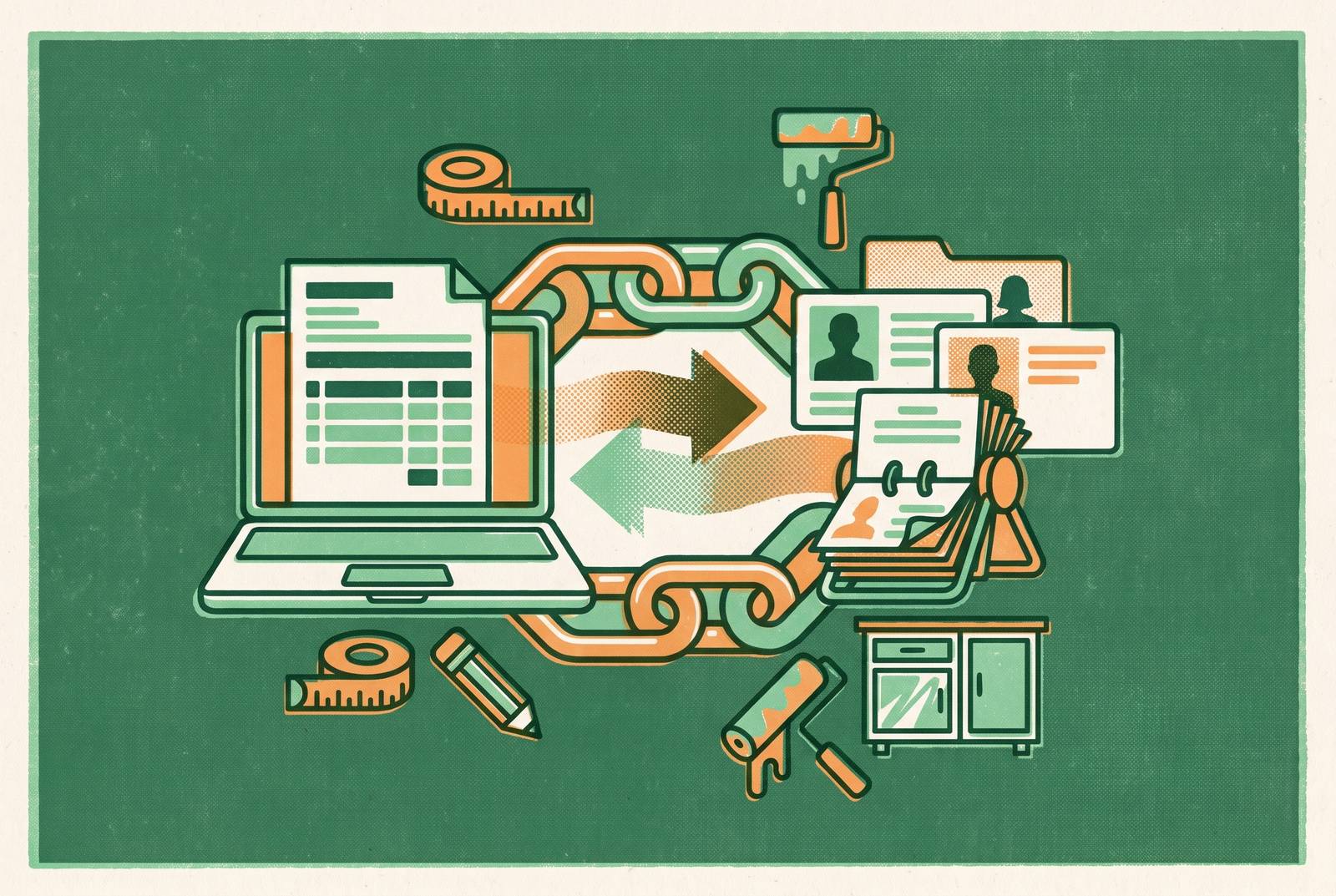
Connecting estimating software with CRM helps remodeling contractors win jobs by removing the manual handoffs between an inquiry, a quote, and a signed contract. The value is keeping leads, proposals, and project details moving without someone copying them from one tool to another. That requires a connected workflow.
Why the lead-to-signed-job handoff is where remodeling contractors bleed revenue
The sticky-note inbox fills up while the contractor is on site. A callback gets missed, and an estimate that took time to build never becomes a proposal the homeowner can sign. Then another inquiry comes in, pushing the unfinished follow-up further down the day’s work. These are lost opportunities. The trouble starts when every next step depends on someone finding time to move the details.
Many remodelers built their setup one tool at a time. Leads go into one place, quotes get built in another, scheduling happens in a third, and accounting is separate from all three. Each tool may do its own job well. But someone still has to copy the homeowner’s information, transfer the scope, and tell the next person what happened. Each transfer creates another chance for a detail to disappear or a follow-up to slip.
Kitchen remodeling averages over $26,000 per project, with subcontractor sequencing, change orders, tiered finish-level pricing, and permit coordination adding work beyond the initial quote. A missed handoff can put a substantial job at risk. General CRMs such as HubSpot or Salesforce require extensive customization to address those remodeling requirements. Storing a homeowner’s name is only the beginning.
Firms that respond to a new lead within the first hour are far more likely to qualify it than those that wait even an hour longer. Yet home service businesses miss a large share of inbound calls when demand is at its peak or too few staff are on hand. The same delay can follow a rep into the appointment. Without access to lead history, a templated quote, and a way to capture the signature, the rep needs another visit to give the homeowner a way to commit.
What a connected estimating-and-CRM workflow actually does at each stage
A connected workflow starts when an inquiry creates a contact record on its own. Whether it comes through a web form, an inbound call, or a referral, follow-up starts without someone first entering the details. The record then feeds the estimating step. A CRM that stores the contact but leaves the rep starting from scratch in the quote tool has not completed that connection. It has only organized the first part of the work.
At the appointment, the rep draws from a cost catalog and builds a Good/Better/Best proposal. For a kitchen project, those choices might include laminate versus quartz countertops or cabinet refacing versus full replacement. The homeowner sees the options side by side. Once a tier is selected, the same flow supports an e-signature and deposit collection on the spot. The estimate becomes a decision the homeowner can act on.
That decision must also update the sales record. If the estimating tool does not write back to the CRM, the pipeline can still show a won or lost deal as open. Follow-up tied to estimate status keeps those proposals from aging without a touchpoint.
Once the contract is signed, its details move into production without reentry. The estimate becomes the job record, supplying the schedule, budget, and subcontractor assignments. After the job is done, the system sends messages and review requests and tracks the margin on each project. Each stage has to trigger the next. That is the functional standard for integration, especially when the rep is in someone’s kitchen and the office is unavailable.
Where bolt-on integrations between separate tools break down in practice
A separate estimating tool connected to a generic CRM can automate some copying without removing the underlying handoffs. The weak point moves to the sync between the tools. An estimate can be marked “won” while the CRM still shows it as “open,” leaving the sales pipeline out of date. Even when people enter data more carefully, the separate status records are still separate.
The same split can break marketing attribution. A call-tracking tool may tag a lead to a specific ad campaign, while the CRM fails to ingest that tag. The lead arrives without its full history. The business then chooses how to spend on ads without all the facts, and attribution systems that are not connected can count results in different ways. That is how an ad platform can report a strong return on spend while the accountant reports a much weaker one.
A review platform that pulls from a contact list can send a review request to a homeowner whose job never closed. A contact is not a completed job. The missing connection is between the communication and the verified outcome. Better office habits do not remove that structural gap.
These failures leave the business paying for partial, stale records. Owners fall back on spreadsheets and gut feel because keeping every tool in step takes more care than they have time for during the workday. With a unified workflow, no one has to remember to make the records match. Adding AI does not repair the split, either, because tools without consistent access to lead history, estimate status, and job outcomes cannot meaningfully optimize scheduling, follow-up, or pricing.
The remodeling software market as it actually segments
The market divides into three broad tiers, with two distinct approaches in the middle. Lightweight mobile tools are for solo operators and small crews, while the middle tier has in-home sales specialists and native CRM-plus-estimating platforms. Full construction-management platforms are for businesses that handle more work. Scope alone does not settle the choice. Revenue scale, team size, and the location of the biggest workflow delay determine which approach fits.
Contractor Plus represents the lightweight mobile approach. It handles estimates, invoices, scheduling, time tracking, and QuickBooks sync, with free and lower-cost plans available for solo remodelers and small crews. The emphasis is on day-to-day work from a mobile device. As teams grow, its limits include pricing controls, proposal consistency, financing integration, and sales process visibility.
One Click Contractor centers its workflow on the in-home appointment. The rep prices the job, presents a branded proposal, walks through financing via 1LOOK® with multiple lenders in one flow, collects a deposit, and captures an e-signature before leaving. It also lets sales teams use the same pricing and workflows. Dedicated account management and coaching continue after launch. Its supported categories include bath, windows, siding, outdoor living, and roofing.
Pricing starts at about $79/month, and larger teams get a custom quote. Its fit is growing companies with five or more sales reps running in-home appointments. That focus differs from the other middle-tier approach. Native CRM-plus-estimating platforms are designed around remodeling-specific workflows, bringing customer records and quoting together. The distinction is where the connection begins and how much of the sequence it covers.
Jobber is a broad field service management generalist, with published pricing and a polished quoting experience. Its general-purpose fit is contractors who do not need remodeling-specific depth. Each category meets different needs, so a remodeling company does not have to move through them all.
How to match a platform's integration architecture to where your workflow actually breaks
Start with the missed job. Where does a homeowner stop moving toward a signed contract? If calls go unanswered and follow-up arrives late, the priority is automated intake tied directly to the CRM. A standalone estimating tool does nothing for that break.
If proposals go out but sit untouched, does the CRM know the current estimate status, and does that status trigger follow-up? This requires a shared live status field. A nightly sync does not provide the same connection between a homeowner’s decision and the next action. The relevant capability is estimate-status-triggered automation.
Contractors who lose momentum during the appointment should look closely at how they lay out the proposal. Good/Better/Best does the most to help with estimating for remodeling because it puts standard builder-grade, upgraded mid-range, and luxury custom options side by side. Finish level becomes a clear choice. That format can close higher-value projects while giving homeowners a reason to decide at the appointment. For kitchen and bath work, where scope and finishes drive large swings in project value, this is a revenue tool.
QuoteIQ Options Estimates, One Click Contractor, and Leap support that format natively. When that support is not built in, reps have to build separate proposals and talk through the choices informally. A company with five or more reps running in-home appointments fits the sales-specialist approach described above. A solo operator or small crew may instead fit the lightweight tier, provided its needs do not extend to the pricing controls and sales visibility that tier lacks.
When missed intake, stale proposals, and manual production handoffs happen together, fixing one connection leaves the others in place. A unified platform handling the full sequence is the architecture that removes all those manual steps at once. Company size is not the deciding factor. The choice turns on whether the business needs a better appointment, a live link between quoting and follow-up, or one continuous workflow from first contact through job completion.
What a well-connected end-to-end workflow looks like in practice
A homeowner submits a web inquiry, enters through a referral pipeline, or makes an inbound call that is answered automatically. The system creates the contact record, qualifies the lead, and books an appointment without a staff member intervening. The rep is not starting with a sticky note. Before the site visit, satellite measurement pre-calculates relevant property dimensions, such as square footage, an addition footprint, or exterior area. Preliminary pricing is already structured when the rep arrives.
At the appointment, the rep shows the homeowner a Good/Better/Best proposal with different finish levels. The homeowner compares the choices, reviews financing options in the same flow, and selects a tier. The decision can become a signed job immediately. The rep captures the e-signature and deposit before leaving, all within the same platform. There is no separate round of office work needed to turn the selected option into a contract.
The signed contract then becomes the production record. The schedule is populated, subcontractor assignments are triggered, and the budget is established from the estimate without anyone typing the details again. Changes remain connected to that original scope. Change orders update the budget in real time, while the client portal shows progress without requiring the rep to send manual updates. The job keeps moving after the sale.
Review requests go out from verified job-completion status, and per-project job costing compares actual margin with the estimate. The workflow knows what has happened at every stage. That shared knowledge is what fragmented tools cannot reproduce without a unified data layer, even when the individual tools are good.
Independent remodeling contractors can get ready for appointments, follow up leads, show professional proposals, and turn signed contracts into projects without setting up a dedicated back office. Large franchises have used that kind of support to create an operating advantage. A unified workflow puts independent contractors on the same operational footing at a fraction of the cost, without the franchise overhead or added headcount.